Privacy Risks of Online Compressors (Images & Video)
Privacy risks of online video and image compressors: what happens after upload, metadata, auto-delete myths, and safer local options.
· Updated
You drop a client video into a free browser compressor. Progress bar. Download. Done.
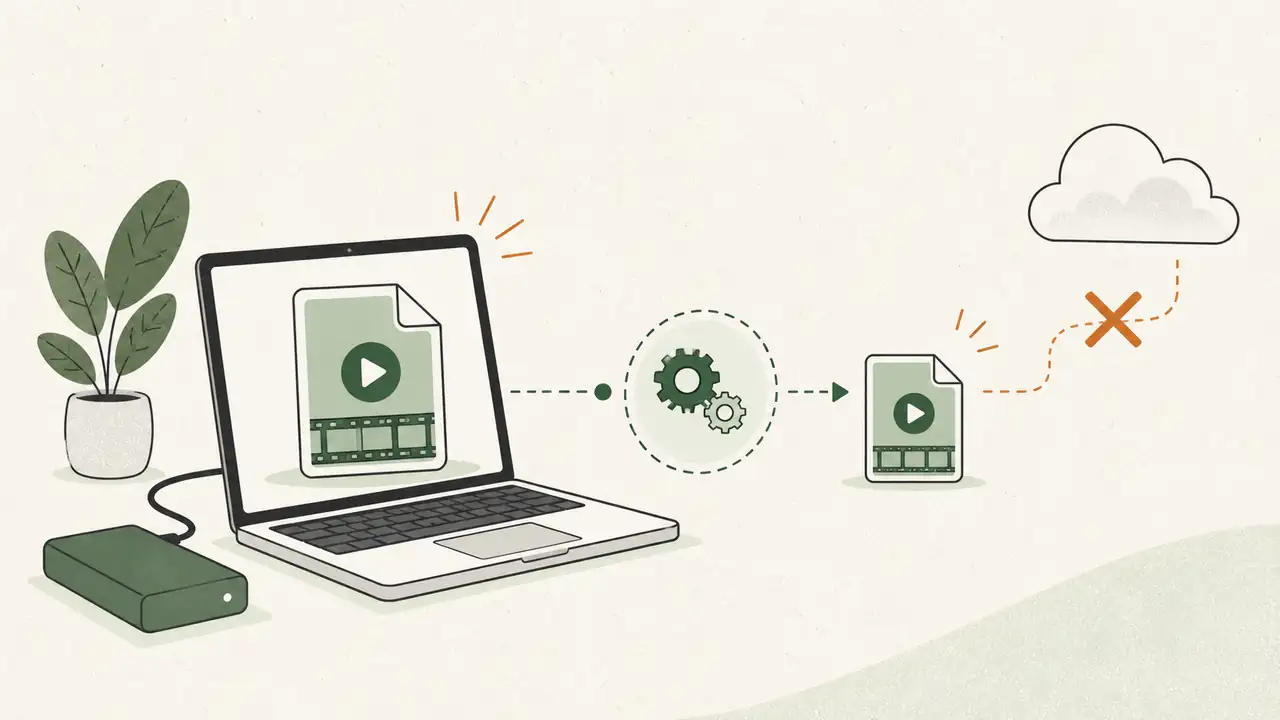
The privacy risk is the middle step: that full file left your machine and lived on someone else’s server.
That is the core privacy risk of online video compressors (and image ones too). This post walks through what you hand over, why “auto-delete” is hard to trust, and how to shrink files without that upload.

Privacy risks of online video compressors
Online video compressors need the whole file to re-encode it. Upload means:
- A full copy of your footage sits on their infrastructure while they process it.
- Metadata can travel with the file: device tags, timestamps, sometimes location on related stills or projects.
- Logs and backups can keep fragments after the UI says “deleted.”
- Your NDA or client policy may already forbid third-party cloud processing.
Images carry the same shape of risk. Videos are worse because files are larger, more sensitive, and more expensive for the host to process. Someone has to pay for that GPU time.
For a step-by-step local path, read how to compress a video without uploading it.
What you send is more than pixels
When you upload, you are not only sending frames. Many files carry EXIF / XMP-style metadata. Photos often include GPS and camera serials. Videos and project exports can still expose names, paths, and timestamps depending on the tool chain.
Online services often strip tags from the download you get back. That does not prove they never stored or logged the original.
If you only need to scrub tags on a still, use a local tool like remove image metadata first. Scrubbing tags does not fix the fact that an upload already happened.
The auto-delete promise
Most free compressors say files are removed after 30 or 60 minutes.
You cannot verify that from the outside. Modern stacks use caches, object storage versions, and backups. “Deleted from the product UI” is not the same as “gone from every disk.”
Treat free online compressors as temporary third-party access to your file. If that access is unacceptable, do not upload.

Why “free” still has a cost
Running video encode at scale costs real money: bandwidth, storage, GPUs. If you are not paying a clear subscription for heavy use, the product still needs a model. That can mean upsells, ads, data partnerships, or training uses described in a long privacy policy most people never open.
You do not need a conspiracy story. You only need this bar: would I email this file to a stranger for an hour? If no, do not use an upload compressor.
Local compression is the simple fix
Modern Macs and PCs can compress images and video on disk. No upload bar. No remote copy.
Compresso is built for that: drag files or folders, encode offline, write the smaller output next to your work. Same idea as other desktop tools. The point is local compute, not a brand lecture.

Compare upload-style tools directly in Compresso vs FreeConvert. For free options including offline ones, see best free image compressors.
When an online tool is still fine
Use upload tools for:
- Public marketing screenshots
- Already-published web assets
- Throwaway demos with no personal or client data
Keep local for:
- Client videos and raw photos
- Family footage
- Anything covered by an NDA or internal policy
Action
- List the compressors you actually use.
- Mark any that require upload for work that should stay private.
- Replace those steps with a desktop or true in-browser local tool.
Download Compresso if you want offline bulk on Mac or Windows, or stay with whatever local stack you already trust. The win is the same: the file never has to leave your machine for a random free encode.
Privacy does not recover after a leak. Skip the upload when the content matters.
Frequently asked questions
- What are the privacy risks of online video compressors?
- You upload the full video to someone else’s server. That copy can include metadata, sit in logs or backups, and leave your control until their policy says it is gone. You cannot verify deletion yourself.
- Are free online image compressors safe?
- They are fine for public screenshots and non-sensitive web assets. For client work, family videos, or anything under an NDA, keep files on your machine with a desktop or local browser tool that does not send the file to a remote API.
- Do online compressors keep my files after I download?
- Many claim auto-delete after a short window. You cannot audit their disks, caches, or backups. Treat the upload as sharing a copy with a third party for that window and beyond.
- How do I compress a video without uploading it?
- Use a desktop compressor on Mac or Windows so the encode runs on your disk. See the guide on compressing video without uploading for the local workflow.